

Bildschirm teilen bedeutet, dass Sie den Inhalt Ihres Monitors oder Displays live an ein anderes Gerät oder an andere Personen übertragen, etwa auf einen zweiten Monitor, einen Fernseher oder direkt in ein Online-Meeting. 2026 gehört Screen Sharing zum festen Werkzeugkasten im Homeoffice, im IT-Support, im Online-Unterricht und in der Familie. Dieser Guide zeigt Ihnen für jedes Gerät und jede App den passenden Weg dorthin, ohne unnötiges Fachchinesisch.
Was bedeutet Bildschirm teilen genau?
Beim Bildschirmteilen wird das, was auf Ihrem Display zu sehen ist, in Echtzeit an die Gegenseite übertragen. Sie können dabei den kompletten Bildschirm freigeben oder nur ein einzelnes Fenster, etwa eine Präsentation. Fachlich unterscheidet man das reine Screen Sharing, bei dem die Gegenseite nur zusieht, vom Screen Mirroring, bei dem Ihr Display eins zu eins auf ein zweites Gerät gespiegelt wird. Diese Unterscheidung erklärt, warum manche Apps eine Fernsteuerung anbieten und andere nicht.
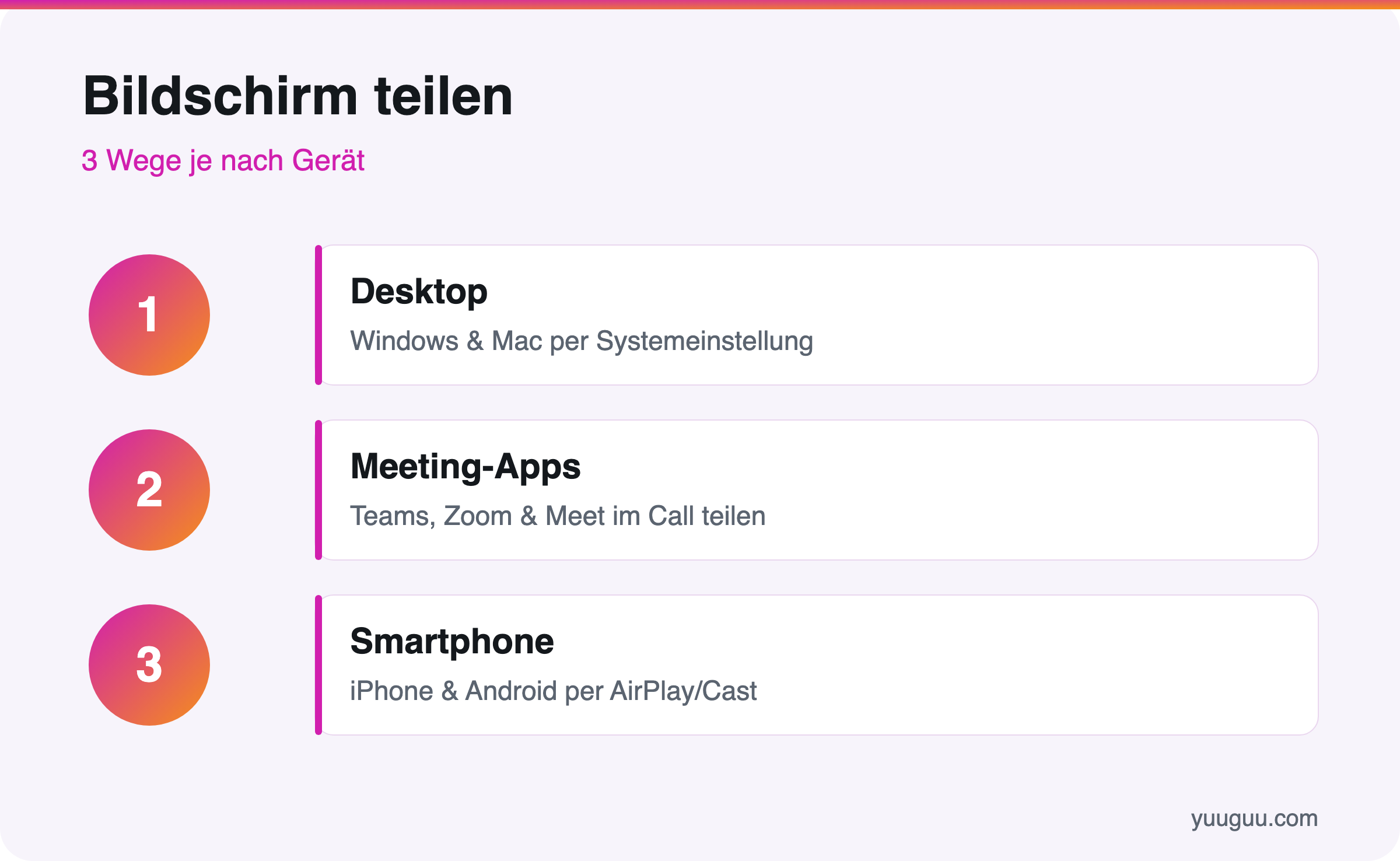
Grundsätzlich gibt es drei technische Wege dorthin: die direkte Übertragung am Desktop, das Teilen in einer Meeting-App und das Spiegeln vom Smartphone. Welcher Weg für Sie der richtige ist, hängt vom verwendeten Gerät und vom Ziel ab, etwa Support, Präsentation oder Wohnzimmer-TV.
Wann nutzt man Screen Sharing?
Die Einsatzgebiete reichen von der Technik-Hilfe bis zur Schulung. Am häufigsten kommt Bildschirmteilen in diesen drei Situationen zum Einsatz:
- IT-Support: Ein Helfer sieht Ihren Bildschirm und führt Sie durch die Lösung, notfalls übernimmt er sogar die Steuerung.
- Meetings und Calls: Sie zeigen Kollegen eine Tabelle, ein Konzept oder ein Programm, während Sie gemeinsam darüber sprechen.
- Präsentationen und Schulungen: Folien, Demos und Tutorials werden so für viele Teilnehmer gleichzeitig sichtbar.
Der Grund dafür liegt im Wandel der Arbeitswelt: Laut dem Statistischen Bundesamt arbeiteten 2023 rund 24 Prozent der Erwerbstätigen in Deutschland zumindest gelegentlich von zu Hause. Eine Bitkom-Befragung aus dem Jahr 2024 zeigt, dass über 80 Prozent der Unternehmen Videokonferenzen regelmäßig nutzen. Wer remote zusammenarbeitet, teilt fast täglich den Bildschirm. Mehr dazu lesen Sie in unserem großen Ratgeber zum Thema Remote Work.
Bildschirm teilen auf dem Desktop
Am Computer gibt es zwei Grundvarianten: das Spiegeln auf einen externen Bildschirm oder Fernseher und das Teilen mit anderen Personen über das Internet. Unter Windows 11 und Windows 10 ist die Tastenkombination Win + P der schnellste Start, sie öffnet das Projektionsmenü für Miracast und zweite Monitore. Die ausführliche Schritt-für-Schritt-Anleitung liefert unser Beitrag Bildschirm unter Windows 11 und 10 teilst.
Am Mac läuft das über die Bildschirmfreigabe in den Systemeinstellungen, über die Nachrichten-App oder per AirPlay, dem drahtlosen Übertragungsstandard von Apple. Wie das im Detail funktioniert, zeigt Schritt für Schritt die Anleitung zum Bildschirm teilen am Mac und MacBook.
Bildschirm teilen in Meeting-Apps
Im Berufsalltag teilen Sie den Bildschirm meist direkt in einer Konferenz-App. Der Ablauf ist bei den meisten Anbietern ähnlich: Sie suchen während des Calls den Button „Teilen“ oder „Bildschirm präsentieren“ und wählen aus, ob der ganze Bildschirm oder nur ein Fenster sichtbar werden soll. Die folgenden vier Apps decken den Großteil der Praxis ab, einen ausführlichen Vergleich weiterer Anbieter finden Sie im Videokonferenz-Software-Vergleich:
- Microsoft Teams: Symbol für Teilen anklicken, dann Bildschirm oder einzelnes Fenster wählen.
- Zoom: Grüner „Bildschirm freigeben“-Knopf in der Leiste unten.
- Google Meet: „Jetzt präsentieren“ im Menü auswählen.
- WhatsApp: Während eines Videoanrufs das Symbol zum Teilen antippen.
Welcher Weg passt zu welchem Gerät?
Diese Tabelle zeigt auf einen Blick den schnellsten Weg pro Gerät:
| Gerät | Bester Weg | Wofür ideal |
|---|---|---|
| Windows 11 / 10 | Win + P oder App-Freigabe | Monitor, Beamer, Meetings |
| Mac / MacBook | Bildschirmfreigabe, AirPlay | Support, Apple-TV, Meetings |
| iPhone | Bildschirmaufnahme, AirPlay | TV, Familien-Support |
| Android | Smart View / Cast | TV, Chromecast, Calls |
| iPad | AirPlay, Sidecar | Präsentation, zweiter Bildschirm |
Auf dem Smartphone läuft das Teilen etwas anders als am PC, meist über Bildschirmaufnahme oder Cast statt über eine klassische Freigabe. Wie es beim iPhone konkret funktioniert, steht in unserer Anleitung zum iPhone-Bildschirm teilen.
Sicherheit und Datenschutz beim Teilen
Beim Bildschirmteilen sieht die andere Seite alles, was gerade sichtbar ist, auch private Chats, E-Mails oder Passwörter. Deshalb sollten Sie vor jeder Freigabe ein paar Regeln beachten:
- Schließen Sie vorher alle Fenster mit sensiblen Daten.
- Schalten Sie Benachrichtigungen aus, damit keine privaten Nachrichten aufpoppen.
- Teilen Sie im Zweifel nur ein einzelnes Fenster statt des ganzen Bildschirms.
- Geben Sie bei Fernwartung die Steuerung nur Personen, denen Sie vertrauen.
Gerade beim IT-Support per Fernzugriff ist Vorsicht wichtig: Beenden Sie eine Sitzung sofort, wenn ein unbekannter Anrufer Sie zur Bildschirmfreigabe drängt. Diese Betrugsmasche zielt häufig auf Zugriff zu Bankkonten oder persönlichen Daten ab.
Wer unterwegs arbeitet, teilt den Bildschirm meist direkt vom Smartphone oder Tablet. Für Geräte mit Android-System hilft unsere Anleitung zu Bildschirm teilen unter Android und Samsung, für Messenger und Konferenz-Apps der Beitrag zu WhatsApp und Google Meet am Handy, und auf dem Tablet zeigt der Ratgeber zu Bildschirm teilen und Split View am iPad alle Schritte im Detail.
Häufige Fragen
Was brauche ich, um meinen Bildschirm zu teilen?
In den meisten Fällen reichen das Gerät selbst und eine stabile Internetverbindung. Für das Teilen mit anderen Personen genügt eine App wie Microsoft Teams, Zoom oder WhatsApp. Für die Übertragung auf einen Fernseher benötigen Sie zusätzlich ein kompatibles Gerät, etwa einen Smart-TV oder einen Streaming-Stick.
Kostet Bildschirm teilen etwas?
Nein. Die Funktion ist in Windows, macOS, iOS und Android fest eingebaut. Auch die kostenlosen Versionen von Zoom, Google Meet und Microsoft Teams erlauben Screen Sharing ohne Aufpreis. Kosten entstehen höchstens für Profi-Funktionen in bezahlten Business-Tarifen.
Können andere meinen Computer steuern, wenn ich teile?
Nur, wenn Sie das ausdrücklich erlauben. Reines Teilen bedeutet: Die andere Seite schaut lediglich zu. Erst die zusätzliche Funktion „Fernsteuerung“ gibt jemandem Kontrolle über Maus und Tastatur, und diese müssen Sie separat und aktiv bestätigen.
Warum sieht der Empfänger meinen Bildschirm schwarz?
Das liegt meist an Kopierschutz bei Streaming-Diensten oder an fehlenden Berechtigungen. Unter macOS müssen Sie der jeweiligen App in den Systemeinstellungen die Bildschirmaufnahme erlauben. In vielen Fällen behebt schon ein Neustart der App das Problem.
Der schnellste Weg für Ihr Gerät im Überblick
Für die meisten Nutzer genügt einer von drei Wegen: Win + P oder die App-Freigabe am Windows-PC, die Bildschirmfreigabe oder AirPlay am Mac, und eine Bildschirmaufnahme oder ein Cast am Smartphone. Prüfen Sie vor jeder Freigabe kurz, welche Fenster gerade geöffnet sind, und schließen Sie alles mit sensiblen Inhalten. Die verlinkten Detail-Anleitungen für Windows, Mac und iPhone führen Sie für Ihr konkretes Gerät Schritt für Schritt durch die Einrichtung.